
Download Daily Step APK – pedometer, step counter, calorie tracker, fitness app, daily workout
Overview
The Daily Step Pedometer is a free Android application designed to help users track their daily physical activity. Developed by Logiic Solution, the app focuses on step counting and calorie tracking, offering a straightforward solution for individuals aiming to monitor their movement throughout the day. It is particularly useful for those engaged in routine fitness routines or seeking to adopt a more active lifestyle.
The app operates in the background, allowing users to continue using other applications without interruption. It supports two distinct modes: normal and training, enabling users to customize their tracking experience based on their activity level. The software is intended for general consumers, fitness enthusiasts, and individuals interested in personal health monitoring.
It is compatible with Android 5.0 and later versions, making it accessible to a broad user base. Real-world usage includes tracking daily walks, monitoring workout progress, and sharing achievements with friends or family. The app’s minimal permission requirements enhance user trust and reduce privacy concerns.
While the developer did not provide additional details about advanced tracking features or integration with other health platforms, the core functionality remains focused on simplicity and accessibility.
Key Features & Capabilities
- Step Counting – The app continuously monitors the number of steps taken during daily activities, providing real-time updates and cumulative totals throughout the day.
- Calorie Burn Tracking – It estimates the number of calories burned based on step count, body weight, and walking pace, offering users insight into their energy expenditure.
- Two Operating Modes – Users can switch between normal mode for everyday movement and training mode for structured workouts, allowing for more accurate tracking during exercise sessions.
- Background Operation – The app runs in the background without requiring constant user interaction, ensuring consistent tracking even when other apps are in use.
- Custom Walking Modes – Users can select or create different walking profiles to refine step count accuracy and improve distance and calorie calculations.
- Progress Sharing – The app allows users to share their daily step count and calorie data with friends or family, promoting motivation and accountability.
- Minimal Permissions – It requires only essential permissions, such as WAKE_LOCK and LIGHT_WAKE_LOCK, to maintain functionality without excessive access to device features.
These features make the app ideal for users who want to maintain a consistent fitness habit without relying on complex tools. For example, a commuter can use the app to track steps during a daily walk to work, while a fitness beginner may use training mode to monitor progress during morning jogs. The ability to share results fosters social engagement, which can be beneficial for long-term adherence to health goals. The app’s lightweight design ensures it does not interfere with other applications, making it suitable for extended use across various daily scenarios.
User Interface, Workflow & Performance
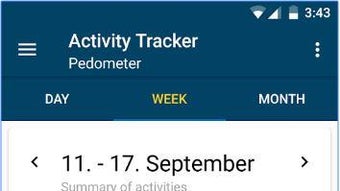
The Daily Step Pedometer features a clean and simple interface, designed for intuitive navigation and ease of use. The layout prioritizes key metrics—step count and calories burned—making them immediately visible upon opening the app. Navigation is straightforward, with minimal menus and clear icons that guide users through available functions.
The workflow is optimized for quick access to tracking data and mode selection, reducing the time needed to check progress. The app is built to operate efficiently in the background, which supports continuous tracking without draining system resources. However, the developer did not specify resource usage details, so exact performance behavior in terms of CPU or RAM consumption remains unknown.
Stability is expected to be consistent given the app’s lightweight nature and limited functionality. Background operation relies on specific system permissions, including WAKE_LOCK and LIGHT_WAKE_LOCK, which help maintain activity tracking even when the screen is off. Performance observations are based on general software behavior patterns.
Users should expect smooth operation on devices running Android 5.0 or higher, though actual performance may vary depending on hardware and background app load.
Compatibility & System Requirements
Daily Step Pedometer is designed for Android devices running version 5.0 (Lollipop) or later. The app is available as a downloadable APK file and is compatible with a wide range of smartphones and tablets that meet the minimum OS requirement. Installation size is not specified in the provided information, so exact file size cannot be confirmed.
The developer did not list detailed hardware requirements such as RAM, processor type, or storage space. Compatibility information was partially provided, focusing only on the operating system version. The app is available in English, Spanish, and Portuguese, supporting users across multiple regions.
No information was provided regarding cloud sync, wearables integration, or support for other platforms such as iOS or desktop systems. Users should verify device compatibility before downloading, especially if using older or non-standard Android devices.
Pros and Cons
Pros
- Free to download and use with no in-app purchases
- Simple, clean interface suitable for all user levels
- Runs efficiently in the background without constant user input
- Supports multiple tracking modes for different activity levels
- Minimal permission requirements enhance privacy and security
- Allows sharing of progress with friends and family
- Compatible with Android 5.0 and above
Cons
- Exact performance and resource usage details were not specified
- No information on cloud backup or data synchronization
- Limited language support (only English, Spanish, and Portuguese)
- Requires manual configuration of permissions for background operation
- No integration with health platforms or wearables
- App availability is limited to Android, with no desktop or iOS version
FAQ Section
Is Daily Step Pedometer available for iOS devices?
The app is currently only available for Android. There is no official version for iOS or other operating systems.
Does the app require internet access to function?
The app can operate offline and does not require an internet connection to track steps or calories. However, internet access may be needed to share data or update the app.
How do I enable background tracking?
To ensure continuous tracking, you must grant the app the necessary permissions, including android.permission.WAKE_LOCK and android.permission.LIGHT_WAKE_LOCK. These can be added in the app’s manifest file or through device settings.
Is the app safe to use?
Yes, the app requires only essential permissions and does not access sensitive data such as contacts, messages, or location. It is considered secure for general use.
Can I use Daily Step without creating an account?
Yes, the app does not require registration or account creation. All data is stored locally on the device.
Final Thoughts + CTA
Daily Step Pedometer offers a reliable, no-frills solution for individuals looking to monitor their daily physical activity. Its straightforward design, minimal permissions, and background tracking make it a practical choice for users who value simplicity and privacy. While it lacks advanced features like cloud sync or wearable integration, its core functionality is solid and well-executed.
The app is especially beneficial for beginners in fitness, casual walkers, and anyone seeking a lightweight tool to stay active. With support for multiple languages and compatibility with Android 5.0 and later, it reaches a broad audience. For those seeking a free, secure, and easy-to-use pedometer, Daily Step is a strong contender.
Download Daily Step APK now and take the first step toward a healthier lifestyle.







